> For the complete documentation index, see [llms.txt](https://manual.portalcagec.mg.gov.br/llms.txt). Markdown versions of documentation pages are available by appending `.md` to page URLs; this page is available as [Markdown](https://manual.portalcagec.mg.gov.br/acessos-iniciais-e-gerenciamento-tutoriais/representante-legal/alterar-representante-legal.md).
# Alterar Representante Legal
O que fazer quando o o mandato vence e um novo Representante Legal é eleito?
O sistema do CAGEC pode ser acessado pelo [**GOV.BR**](https://www.gov.br/pt-br)**.**
{% hint style="info" %}
Para acessar, é necessário estar cadastrado no Cagec e possuir cadastro no [GOV.BR](https://www.gov.br/governodigital/pt-br/conta-gov-br).
[**Clique aqui** para acessar o tutorial de cadastro.](/acessos-iniciais-e-gerenciamento-tutoriais/representante-legal/cadastrar-representante-legal.md)
{% endhint %}
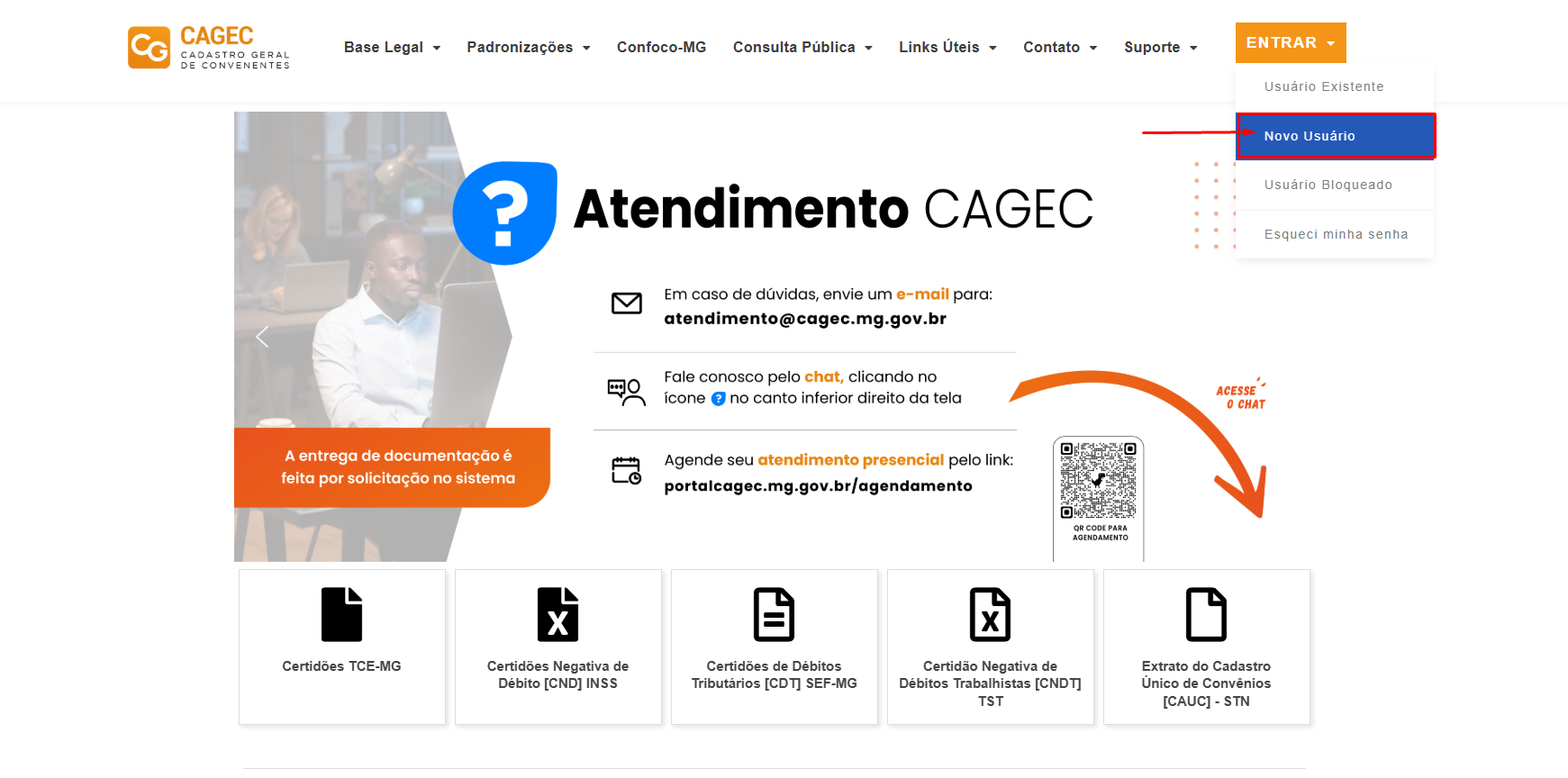
**1º PASSO:** Acesse o portal Cagec, passe o mouse em "Entrar" e clique em "Novo Usuário":
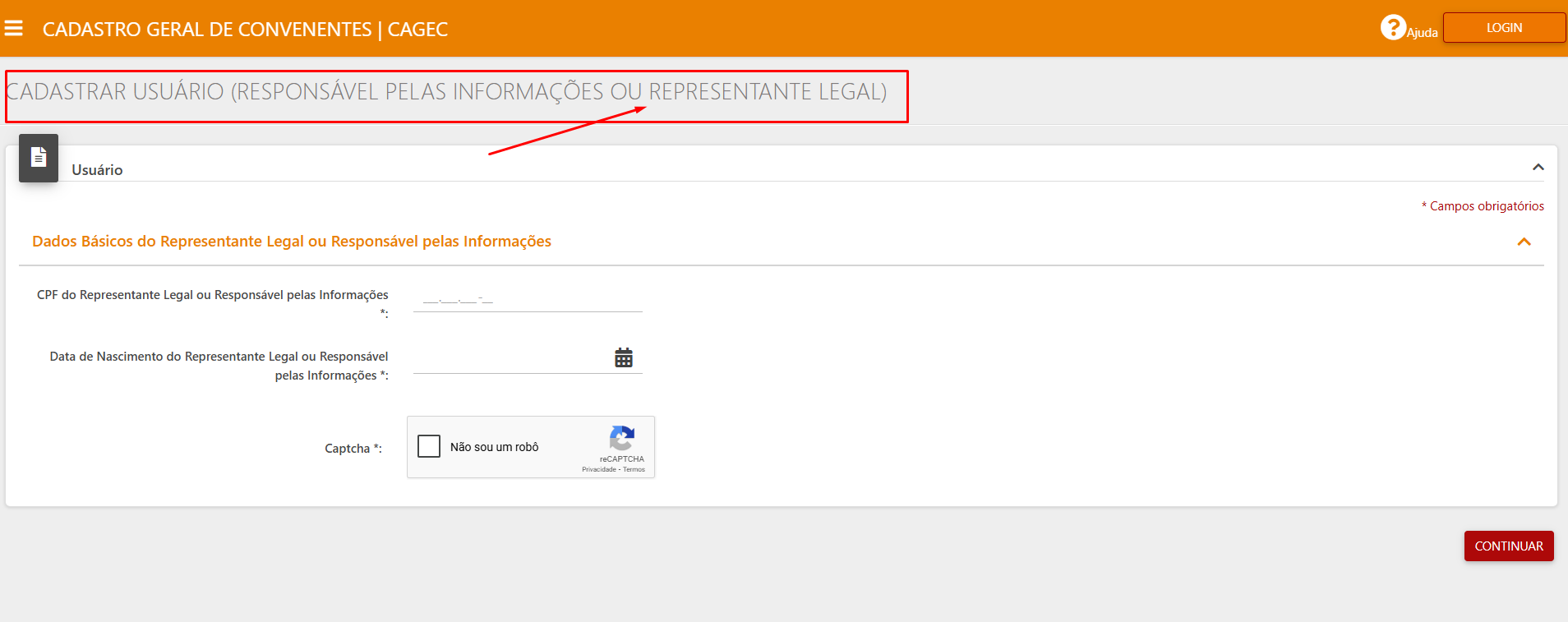
**2º PASSO:** Preencha os dados (assim como na página abaixo) e clique em “SALVAR”\
**PARA QUE A SOLICITAÇÃO DE CADASTRO SEJA SALVA, É INDISPENSÁVEL O PREENCHIMENTO DE TODOS OS CAMPOS MARCADOS COM ''\*''(ASTERISCO):**
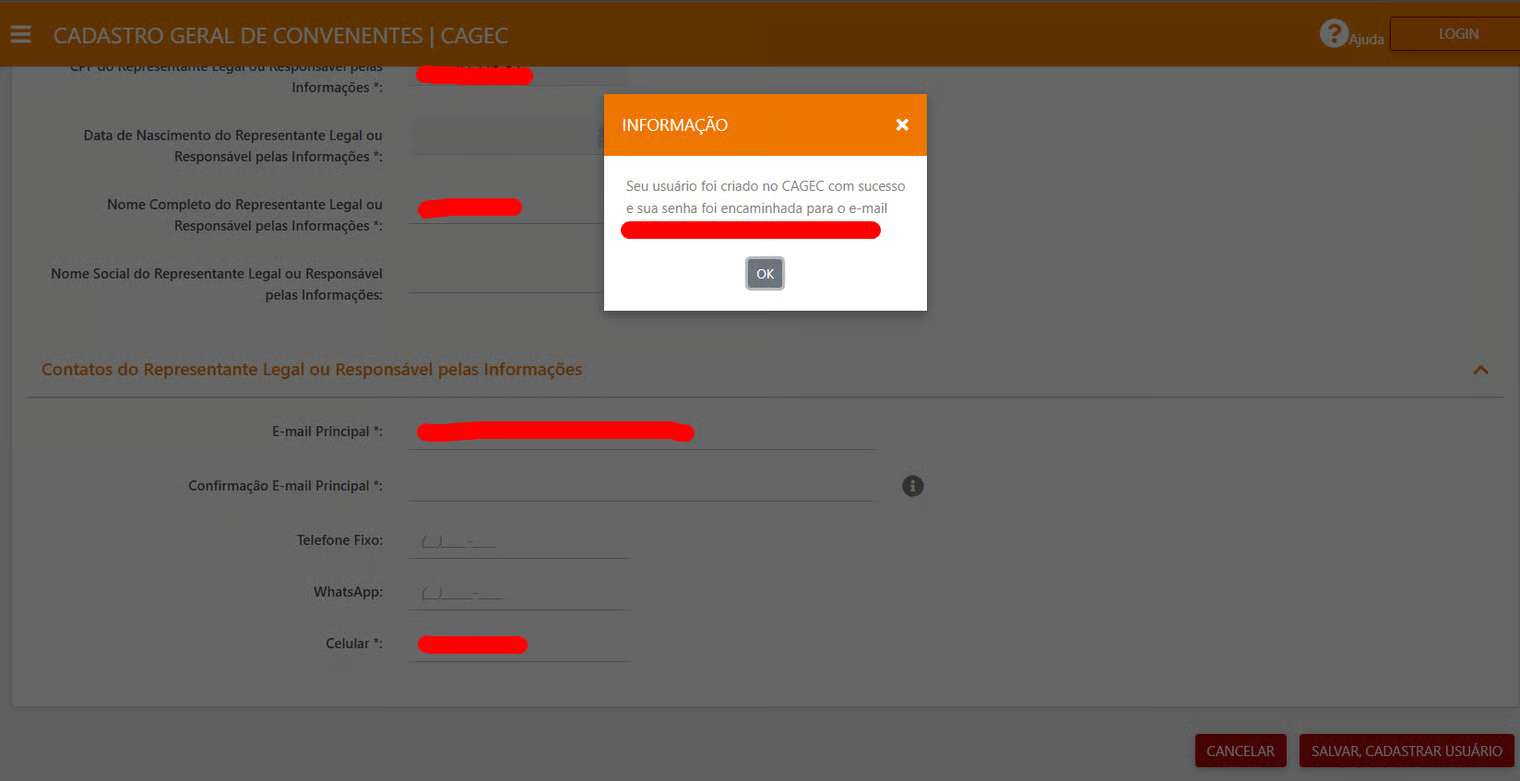
**3º PASSO:** Após clicar em salvar, aparecerá a seguinte tela:
**4º PASSO:** Verifique a caixa de entrada do e-mail informado, clique no link: “CLIQUE AQUI PARA REALIZAR O SEU PRIMEIRO ACESSO”:

**5º PASSO:** Faça login e crie uma senha de acordo com as regras expostas no quadro azul. ⚠️ No campo **" \*Confirmação da senha atual** copie novamente a senha recebida no e-mail:

**6º PASSO:** o formulário e clique em **SALVAR:**

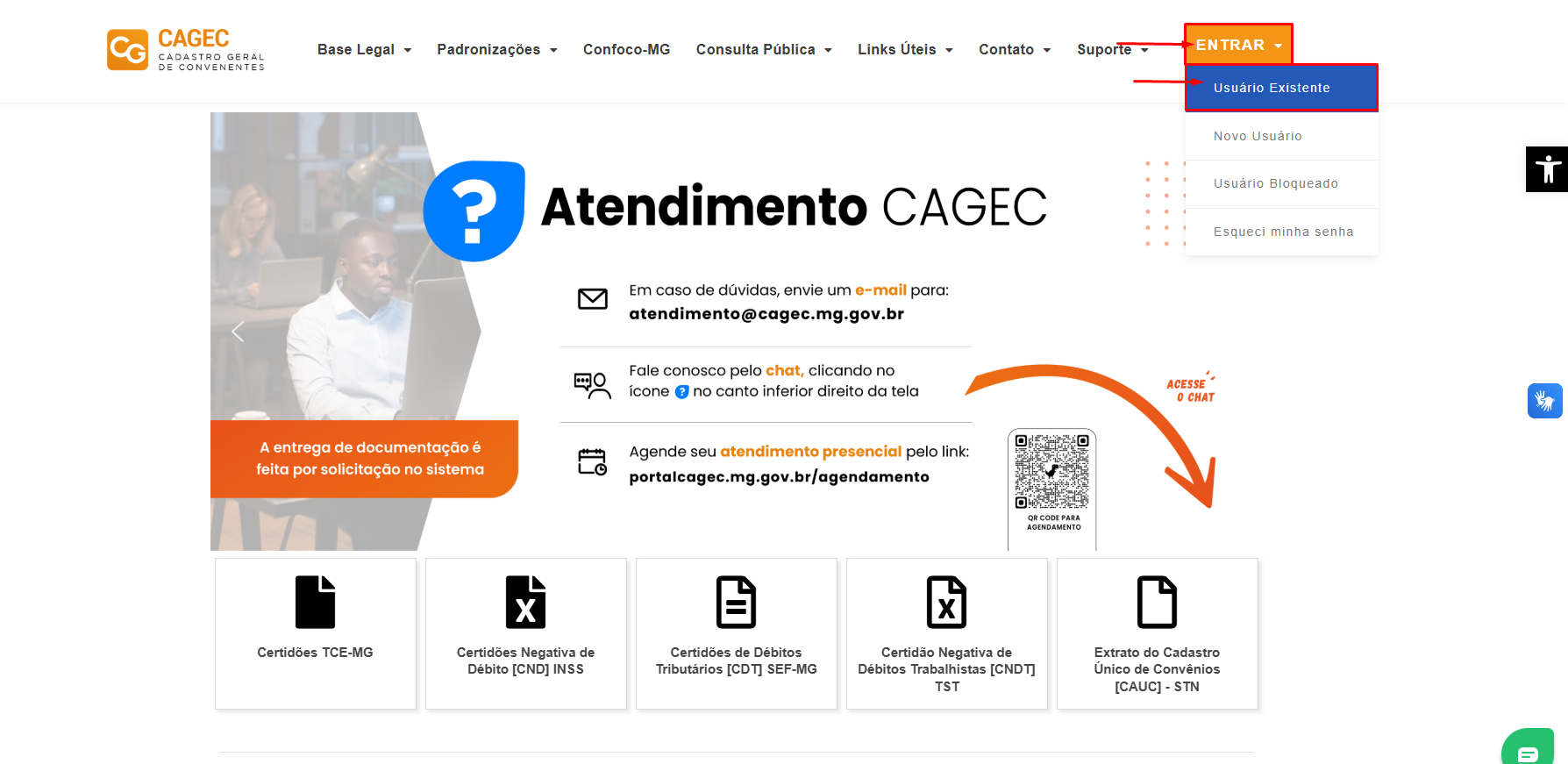
**7º PASSO:** Na página inicial passe o mouse em **ENTRAR** e clique em **Usuário Existente:**
**8º PASSO:** Preencher os campos "CPF' e "Senha":

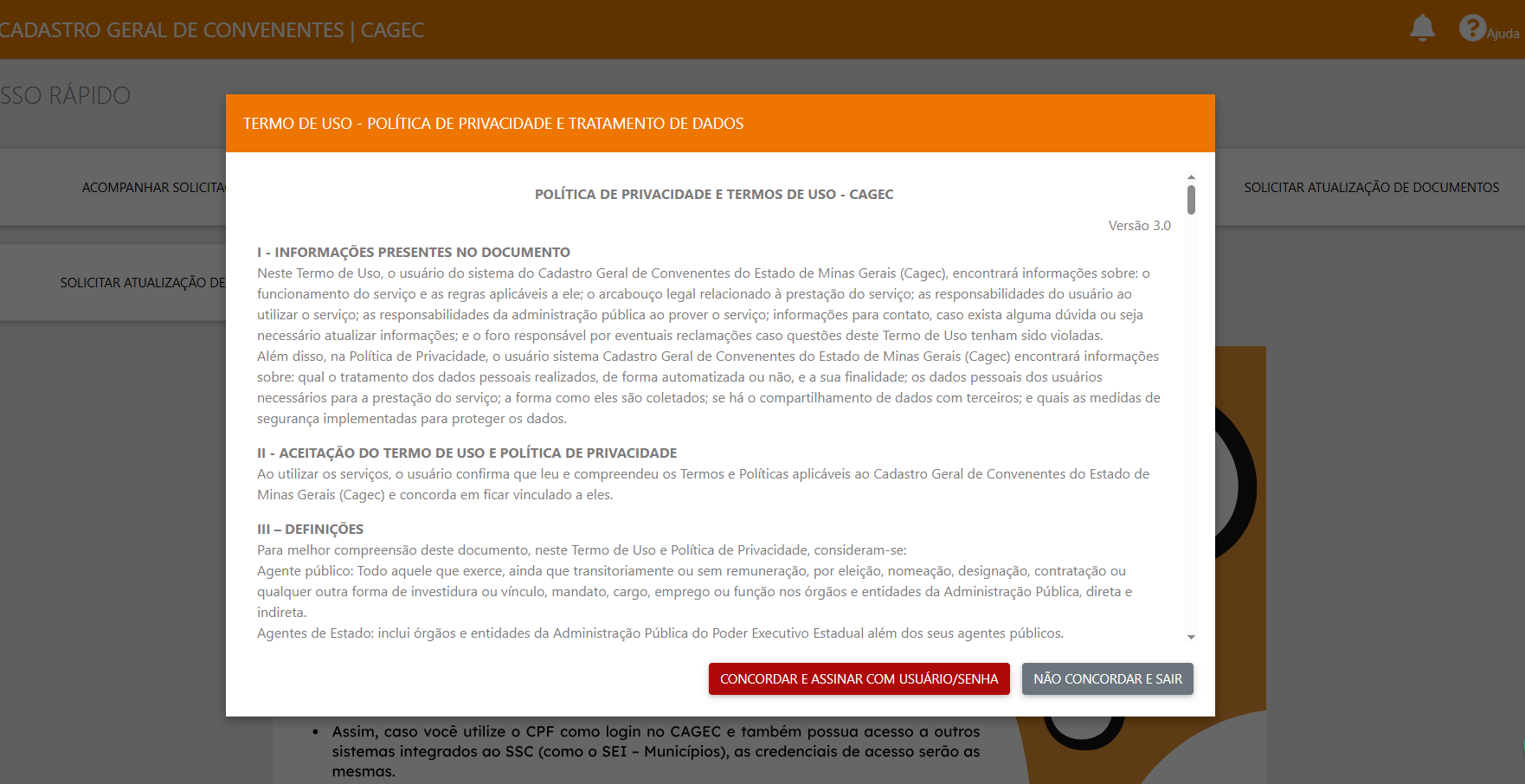
**9º PASSO:** O aceite do Termo de Uso e da Política de Privacidade deverá ser realizado por meio de login e senha.
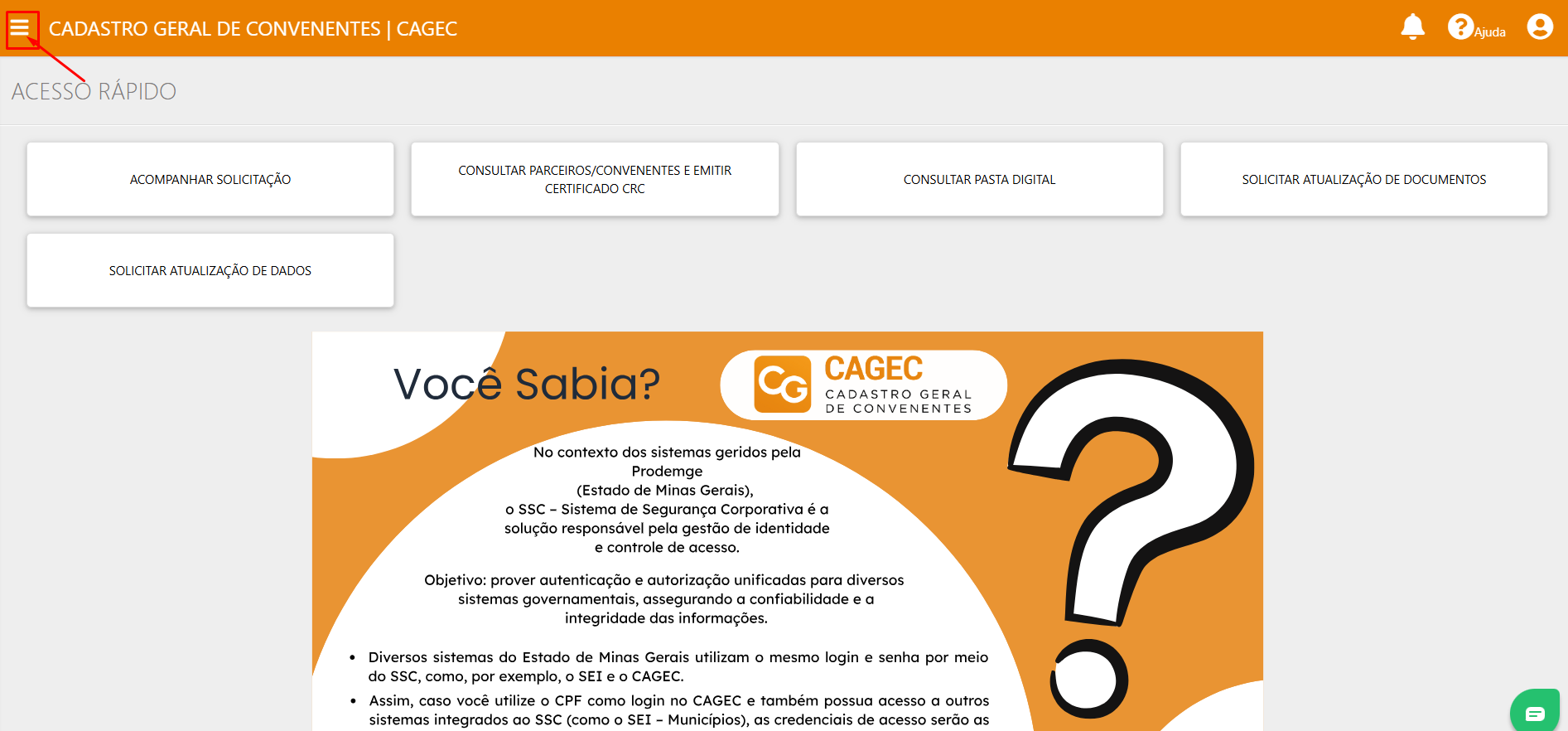
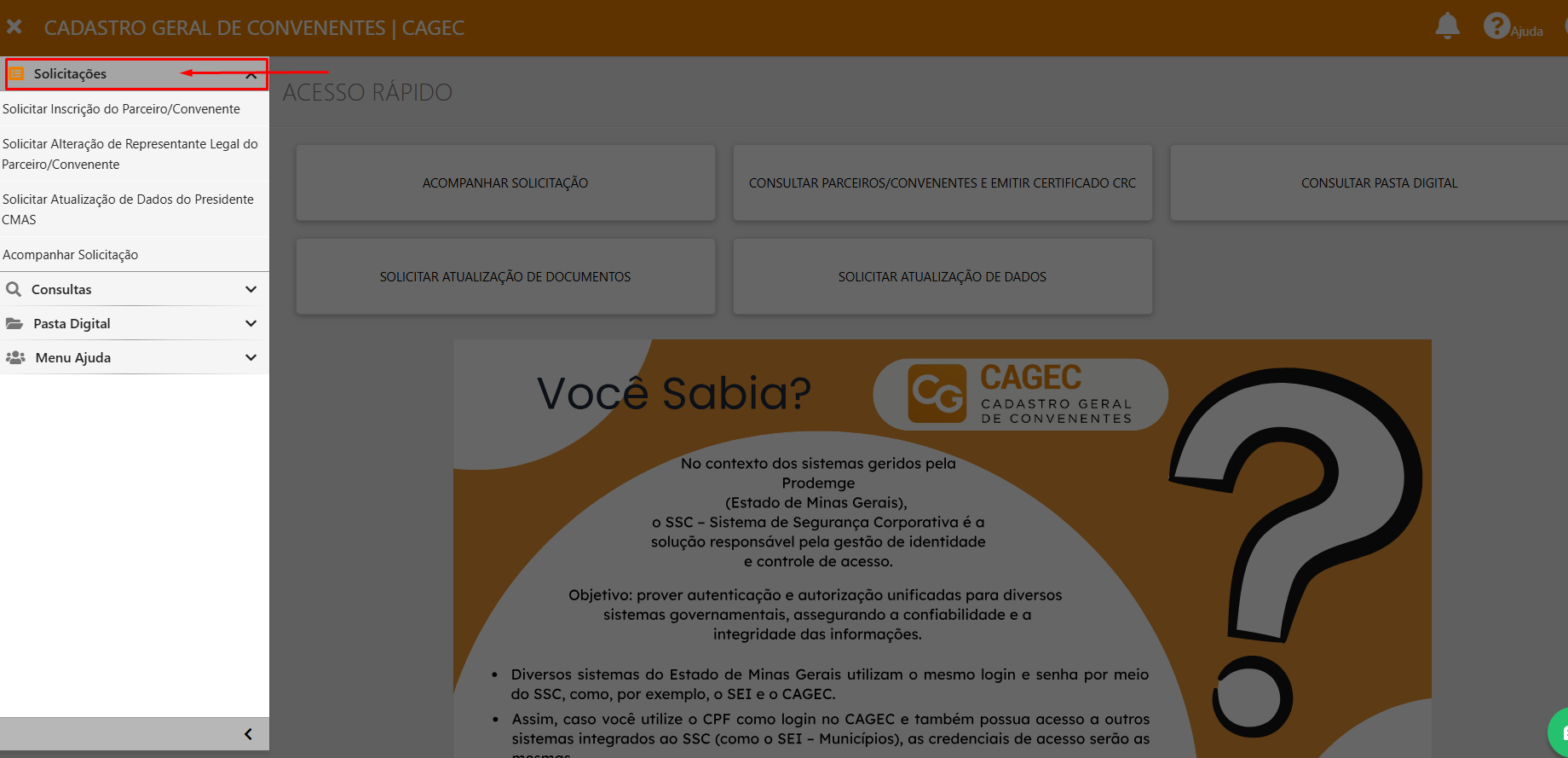
**10º PASSO:** Clique no MENU, no canto superior esquerdo da página para acessar "SOLICITAÇÕES"
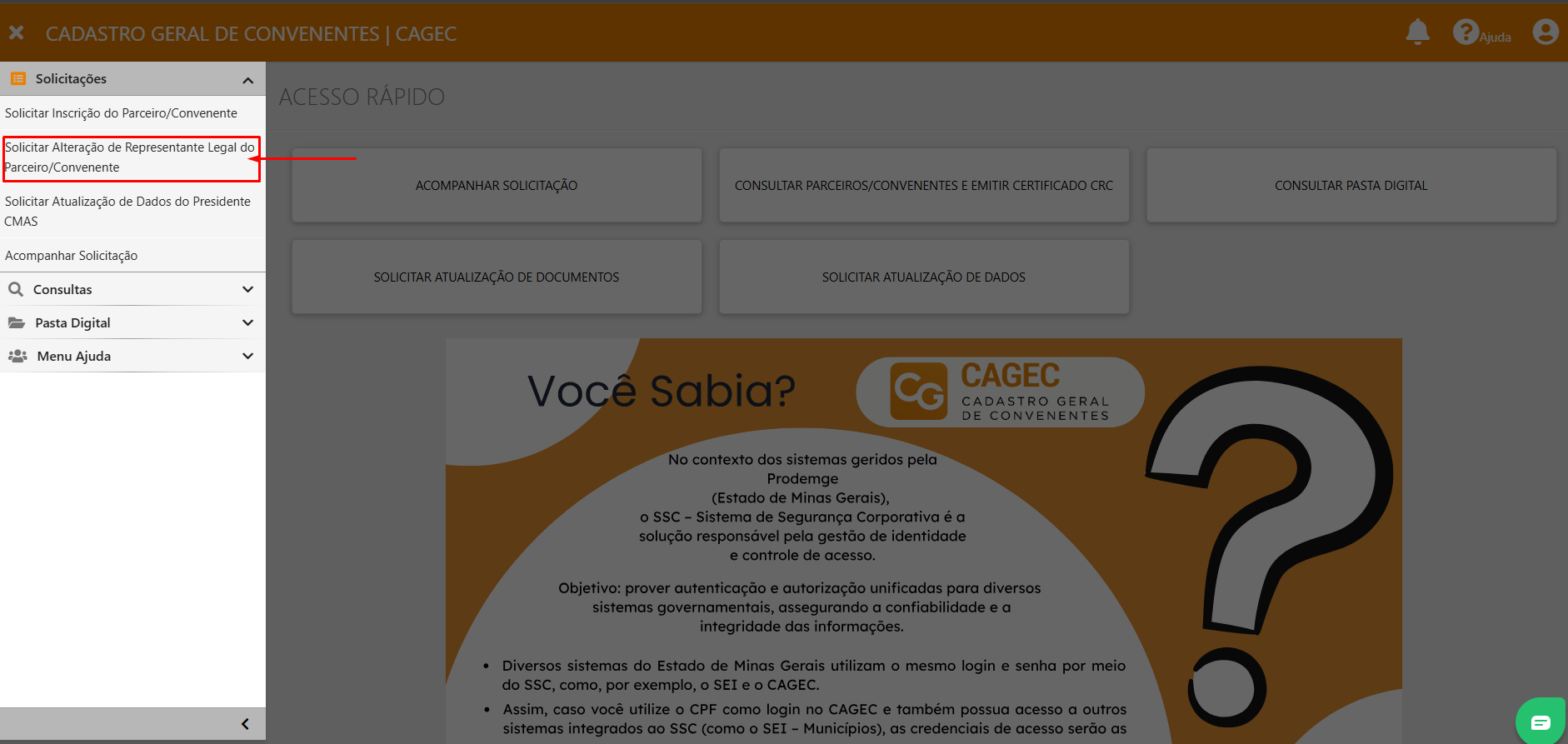
**11º PASSO:** Clique em Solicitar alteração de Representante Legal de um Parceiro/Convenente.
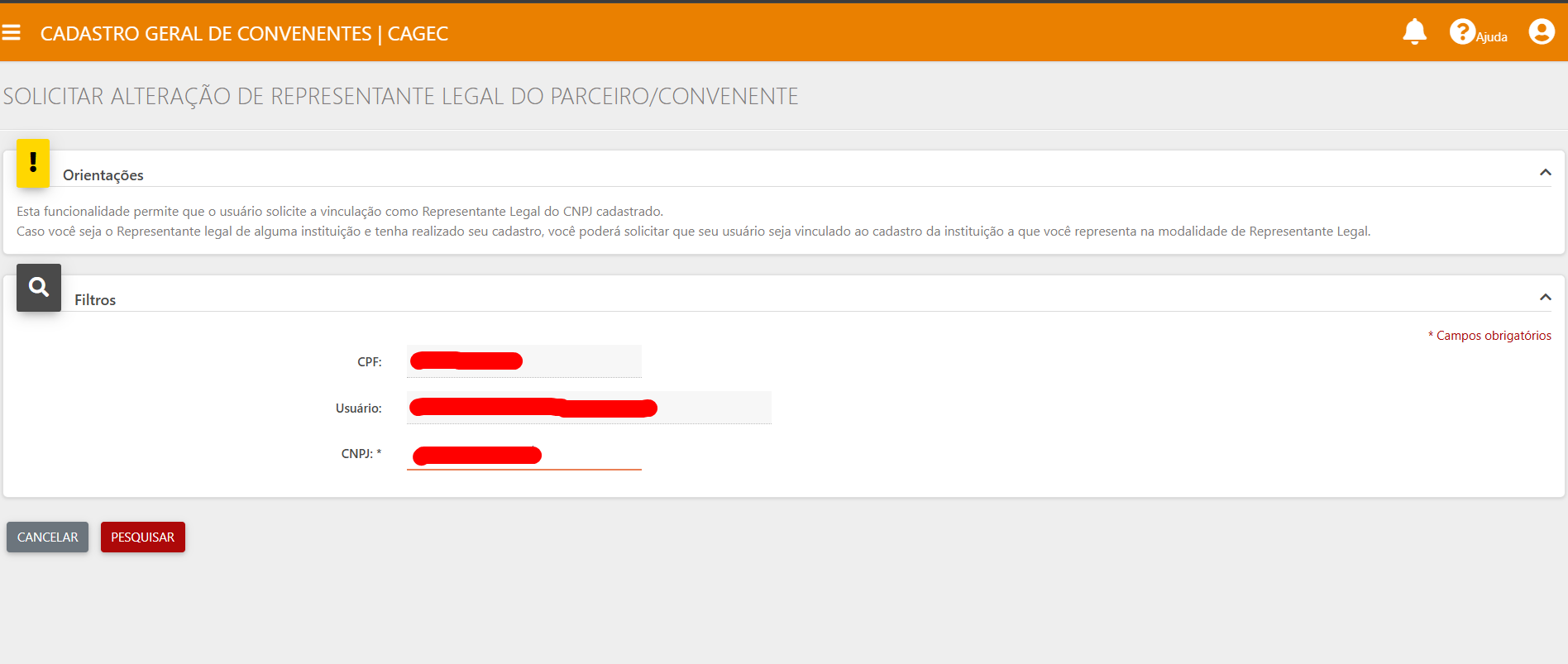
**12º PASSO:** Insira o CNPJ da Pessoa Jurídica representada e clique em PESQUISAR. Esta funcionalidade permite que o usuário solicite a vinculação como Representante Legal do CNPJ cadastrado.
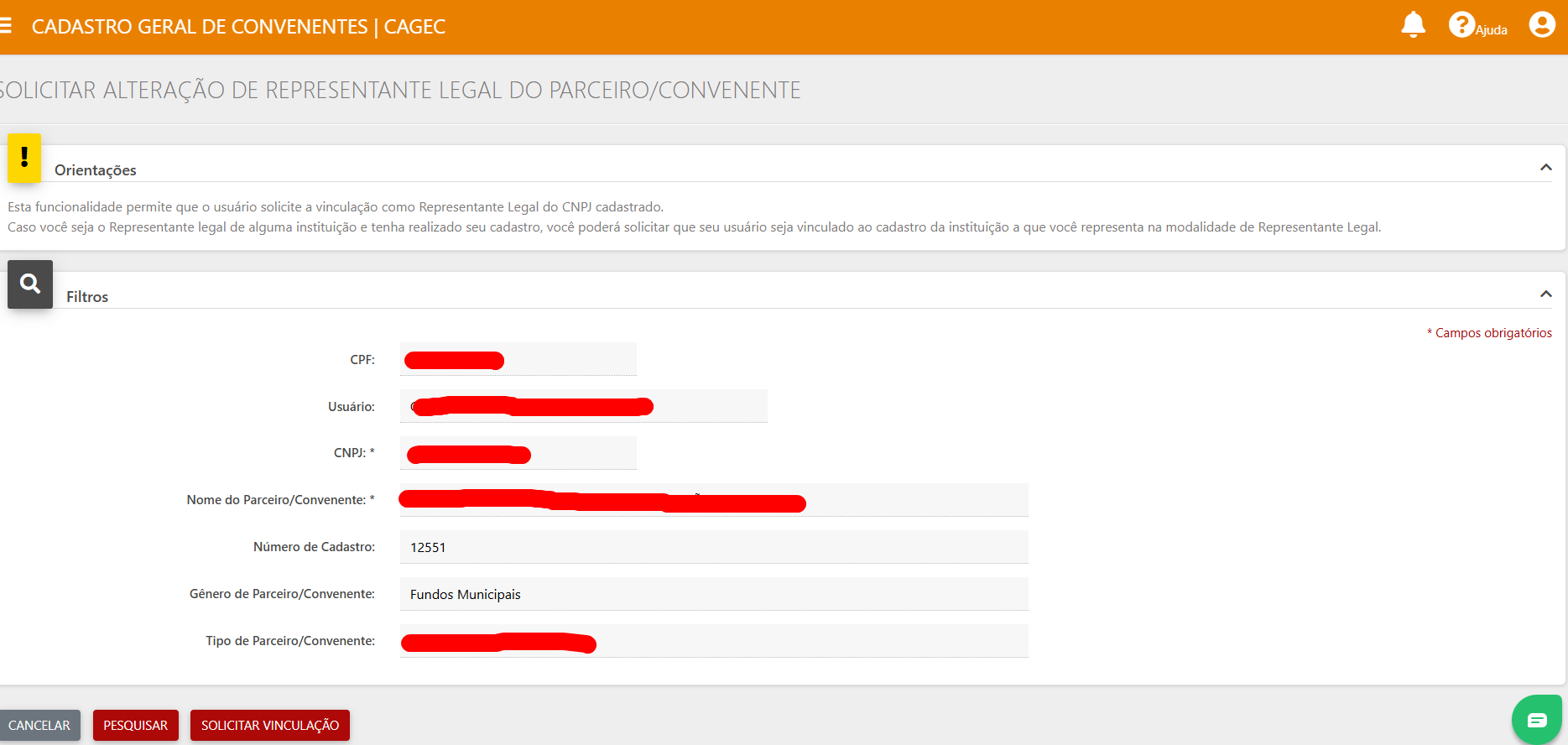
**13º PASSO:** Após digitar o CNPJ, o sistema encontrará a Pessoa Jurídica previamente cadastrada no CAGEC:
{% hint style="danger" %}
\
⚠️**Caso a instituição não tenha cadastro no Cagec, favor seguir o passo a passo de "Solicitar Inscrição do Parceiro/Convenente. Segue link:**\
[https://manual.portalcagec.mg.gov.br/inscricao-de-parceiro-convenente](https://manual.portalcagec.mg.gov.br/quem-pode-acessar-o-cagec/inscricao-de-representante-legal)
{% endhint %}
**14º PASSO:** Em seguida o sistema mostrará a seguinte tela: Clique em "REPRESENTANTE LEGAL":

**15º PASSO:** Preencha todos os dados da aba "Representante Legal" e clique em **SALVAR**:

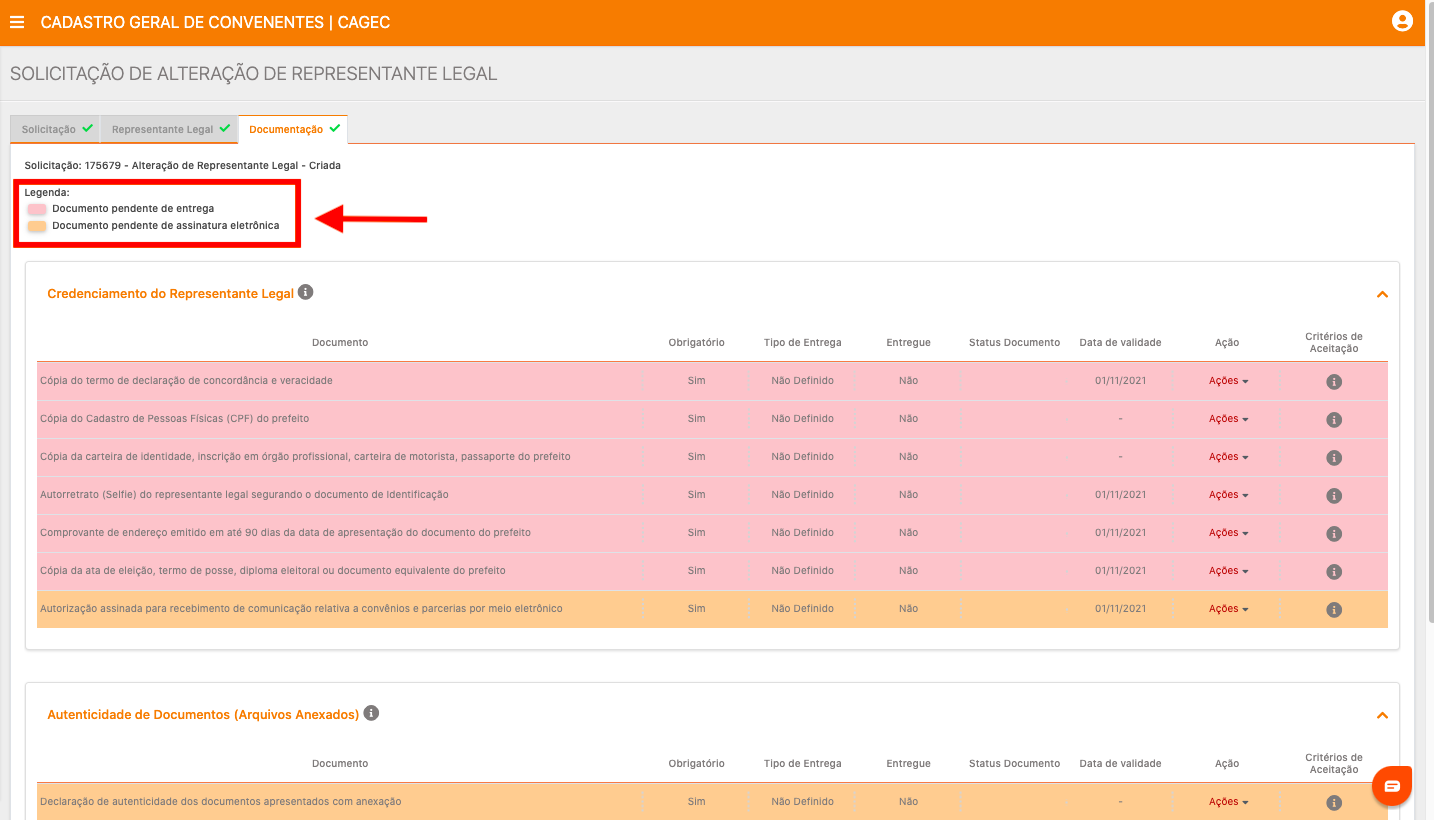
**16º PASSO:** Em seguida, na aba "DOCUMENTAÇÃO" anexe todos os documentos marcados de rosa, e assine login e senha todos os documentos marcados em amarelo.
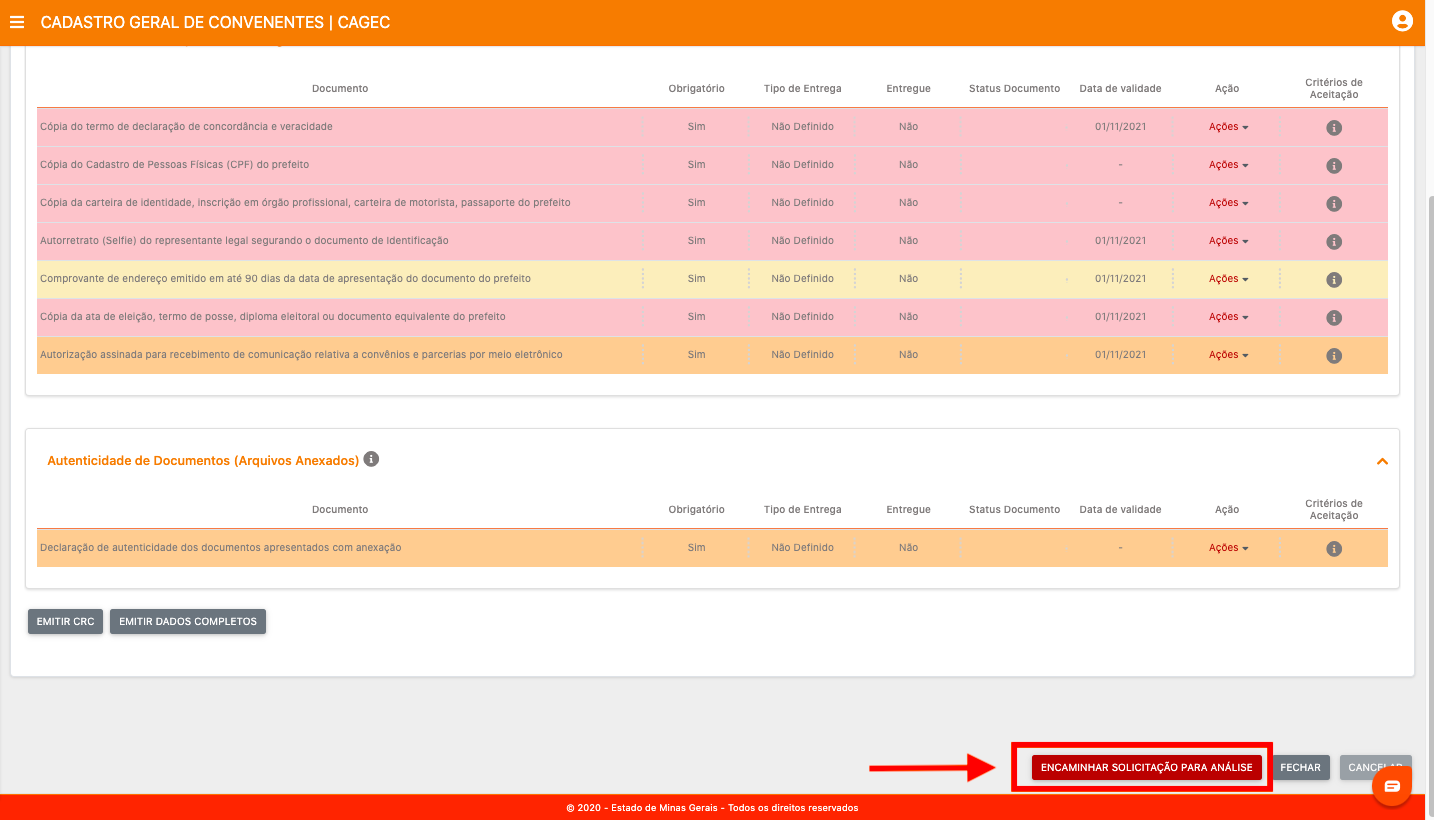
**17º PASSO:** Após a juntada da documentação e assinaturas do passo anterior, clique em "ENCAMINHAR SOLICITAÇÃO PARA ANÁLISE".\
🎩 **PRONTO!**\
Agora é só esperar que a equipe técnica do Cagec analise a solicitação!